KERBCOP
Cross-Platform Parking Services Mobile App
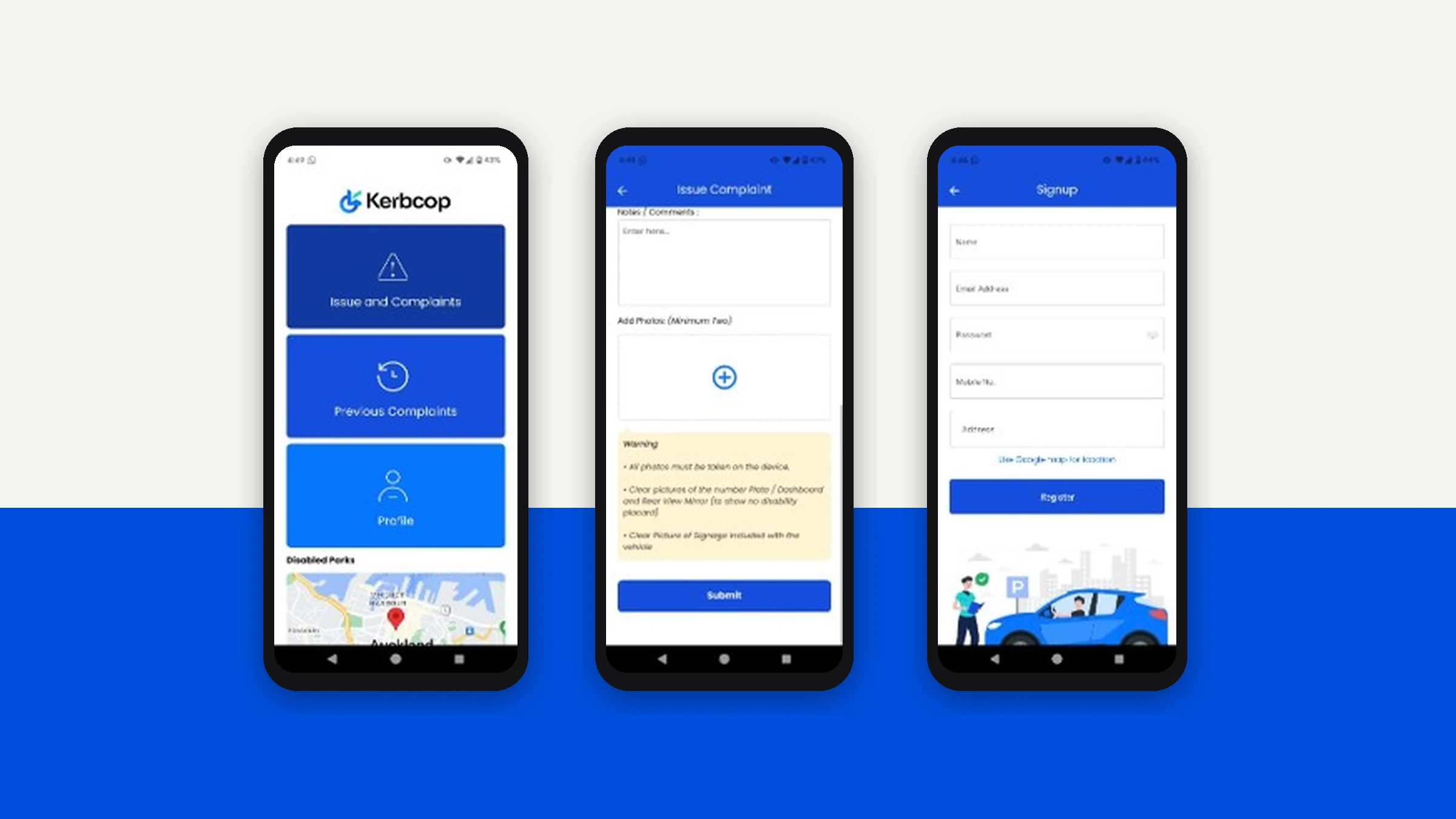
Platform Coverage
Route Safety
Validation
Cross-Platform Parity
Parking enforcement and services management historically relied on fragmented workflows: paper-based registration, siloed operator systems, and no unified mobile presence. Field operators needed a way to onboard quickly with business-level detail capture, access a secure authenticated service portal from any device, navigate legal compliance before entering the platform, and work across iOS, Android, and web without carrying multiple tools.
We built a production-grade mobile experience on Expo's managed workflow using Expo Router v3, bringing file-system routing to native mobile. The architecture establishes the authentication and onboarding spine of the platform with type-safe navigation, two-pass form validation, and cross-platform rendering from a single codebase targeting iOS, Android, and web.
Under the Hood
File-System Routing on Mobile
Expo Router v3 brings the file-system routing paradigm to native mobile. Each route is a file, navigation is type-safe, and adding a new screen means dropping a file — not wiring a router manually.
Two-Pass Validation Strategy
Per-keystroke validation gives low-latency targeted feedback. On-submit re-validation guards against race conditions where blur events are missed. This avoids forms that appear complete but submit with silent errors.
Typed Routes (Compile-Time Checked)
typedRoutes enabled in app.json means all navigation calls are compile-time checked. Navigate to a route that doesn't exist and TypeScript catches it before it ships.
Legal Compliance as Hard Gate
The T&C screen is a full navigation stop with a mandatory Accept action — not a dismissible modal. Users cannot access the platform without explicitly accepting Terms of Service.
- Login screen with password visibility toggle and remember-me
- Registration with 6-field typed validation (TypeScript Partial<FormData> for errors)
- Terms & Conditions compliance gate as mandatory navigation stop
- Cross-platform rendering with react-native-web for browser
- Safe area handling for notched devices (Dynamic Island, punch-holes)
- UI-thread animations via React Native Reanimated at 60fps
- Semantically named Ionicons tied to form field purposes
- Keyboard-aware input types (email-address, phone-pad)
Why We Did What We Did
Every architectural decision has a reason. Here are the ones worth explaining.
Why Expo over bare React Native?
Expo's managed workflow eliminates native build configuration overhead. Expo Router provides typed file-system routing that bare React Native doesn't. When ejecting becomes necessary, the migration path is well-documented.
Why hand-rolled validation over Formik/React Hook Form?
For a 6-field form with well-understood rules, a form library would add ~30KB and an abstraction layer with no concrete benefit. The TypeScript-native approach keeps validation logic readable, testable, and free of third-party API surface.
Why file-based routing?
It co-locates route definition with screen implementation, making the navigation map legible from the file tree. New screens require no changes to a central router config.


Ready to Build Something Like This?
Let's talk about your project.